BotMoods Get notified

BotMoods for Mac / Early access

It does the clicking.
You do the deciding.

BotMoods is a Mac app that works on your screen. It opens Zoho, writes the reply, and waits for your OK. The AI runs on your Mac, so there’s no ChatGPT, no Claude and no API key.

Download for Mac Watch the 30-second tour

Coming soon. macOS 14 or later, Apple silicon.

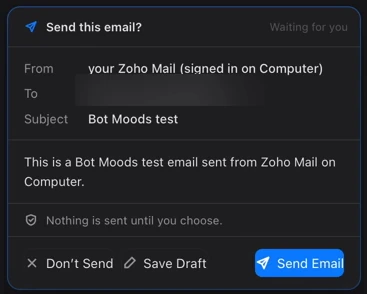
BotMoods Computer screen: a reply drafted in Zoho Mail, with a card asking “Send this email?” and the buttons Don’t Send, Save Draft and Send Email
Fig. 1 Reply Watch has written an email in Zoho Mail. It stays a draft until you press Send Email. Recipient blurred.

How it works

  1. 01

    Ask

    Type what you need the way you’d say it. “Find 5 dentists in Columbus.” “Reply to new email.”

  2. 02

    Watch it work

    It opens the site in its own browser and goes one step at a time. Each step is listed as it happens.

  3. 03

    Approve

    Anything that sends, posts or deletes stops at a card. Send it, save it as a draft, or don’t.

  4. 04

    Keep it

    Leads, drafts, snapshots and notes land in a project, so the next job starts where this one ended.

Who it's for

Whether you’re building a company or finishing a degree.

Founders & teams

  • Find real leads, draft the outreach
  • Open Zoho, reply, wait for your OK
  • Search LinkedIn, draft posts and messages
  • Keep each client in its own project

Students

  • Apply to jobs from your résumé
  • Turn a lecture into notes and a quiz
  • Ask your own notes a question
  • Run an agent on a schedule

The tour

Thirty seconds of the real app.

Recorded on a Mac with real accounts, private details blurred. No mockups, no voiceover. Pick a moment to jump to it.

What it does

Computer

A browser it drives, in plain view.

BotMoods opens sites in its own window and works one step at a time. Pause it, stop it, or take the page over whenever you like. Snapshot anything worth keeping.

Need your screen back? Shrink it to a floating window and keep an eye on it from the corner.
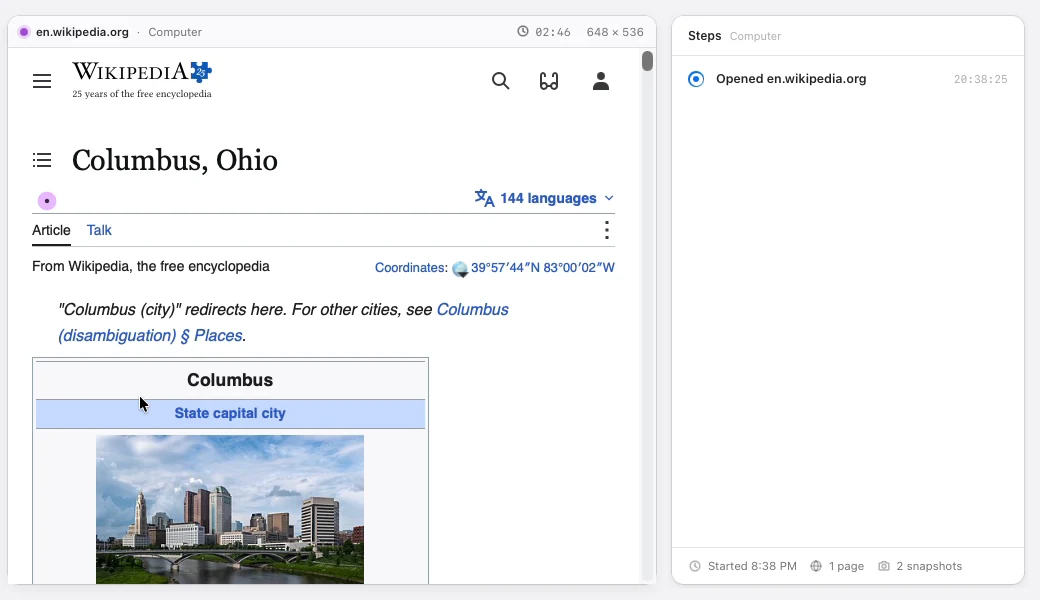
BotMoods Computer reading a Wikipedia article about Columbus, Ohio, with a step list on the right
Fig. 2 Reading a page. The step list on the right updates as it goes.

Email

Opens Zoho. Writes the reply. Waits.

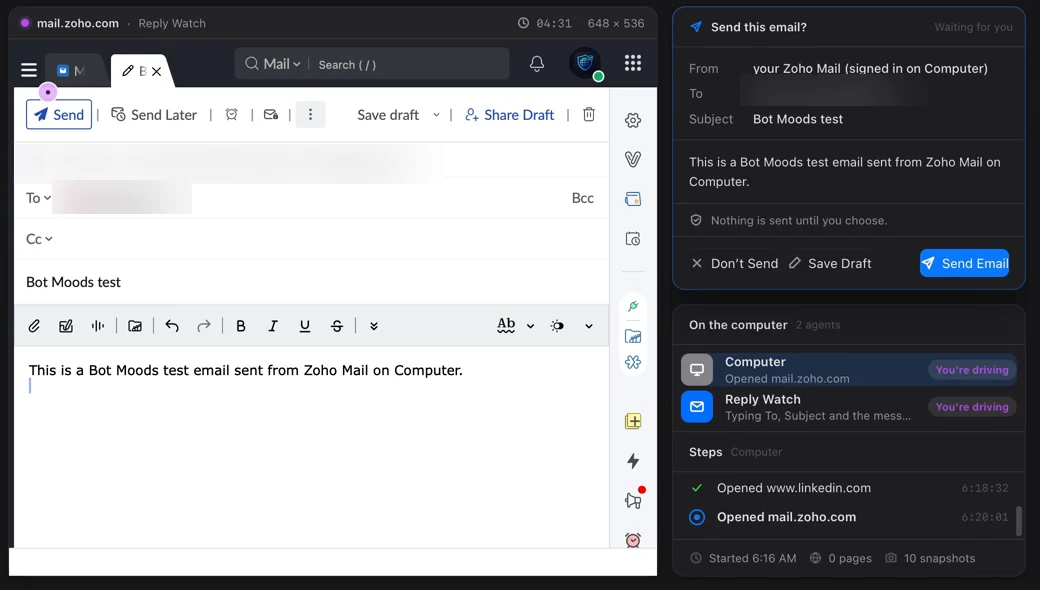
Reply Watch reads new mail in Zoho, drafts the answer, and puts it on a card before anything leaves. Press Don’t Send and it’s discarded, not sent.

Zoho Mail compose window filled in by BotMoods, next to its approval card
Fig. 3 The draft on the left, the card on the right. Nothing is sent until you choose.

LinkedIn & leads

Finds the companies. Drafts the note.

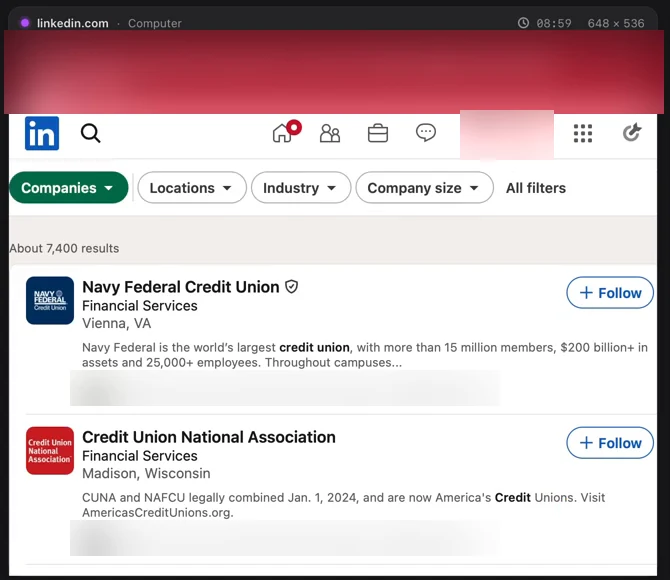
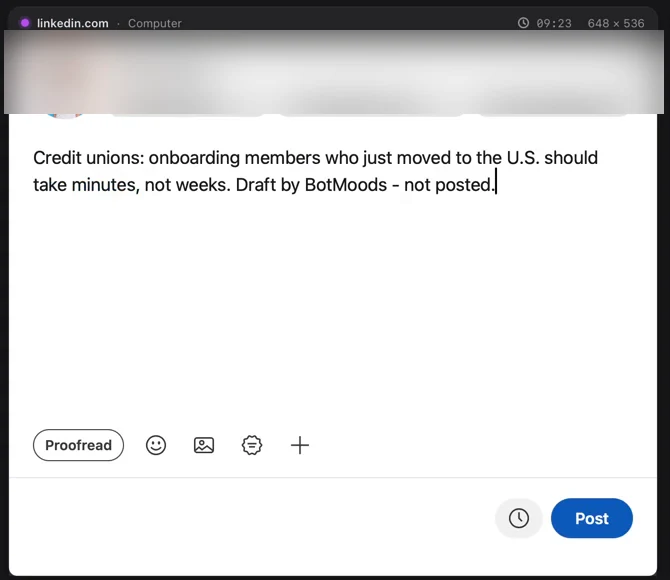
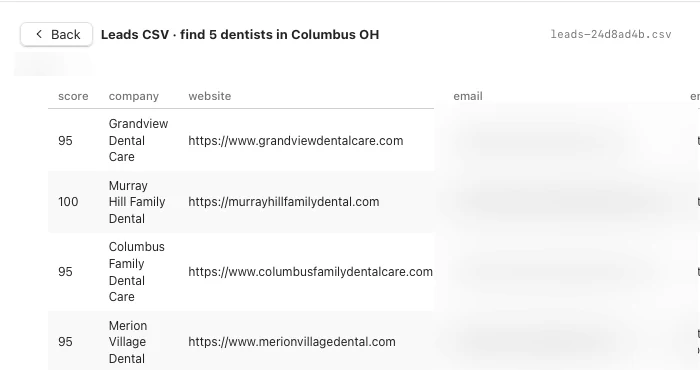
It searches LinkedIn for companies and runs lead hunts like “find 5 dentists in Columbus,” checking each business’s own site so the list isn’t made up. Posts and messages stay drafts until you post them.

LinkedIn company search results for credit unions inside BotMoods
Fig. 4 A company search for “credit union.”
A LinkedIn post typed by BotMoods and left unposted, ending “Draft by BotMoods – not posted.”
Fig. 5 A draft post, typed and left unposted.
A leads table in BotMoods Projects with scores and websites for dental practices; emails blurred
Fig. 6 Five dentists in Columbus, scored. Emails blurred.

Projects

Everything lands in a project.

Leads, files, chats and snapshots stay together, one project per job, so work from one client never leaks into another.

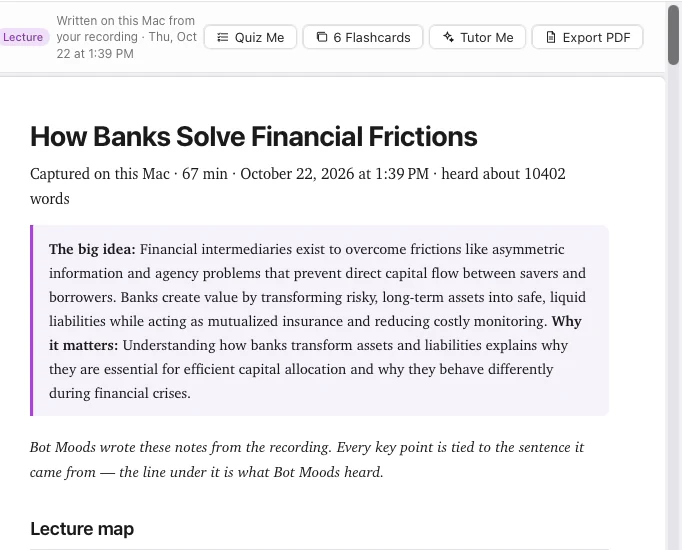
Class Notes in BotMoods: study notes titled How Banks Solve Financial Frictions
Fig. 7 Notes from a 67-minute lecture.

Class Notes

Record the lecture. Get the notes.

It writes study notes, flashcards and a quiz, and ties every point to the line it came from.

Custom agents

Describe an agent in one sentence.

Each agent gets its own chat, memory and work folder, and can run on a schedule. It still asks before it sends, deletes or buys anything.

You

I need an agent that checks my inbox every weekday at 9 and drafts replies to new leads.

BotMoods

Here’s Lead Replies. Runs weekdays at 9:00 AM. Reads new mail in Zoho, drafts a reply to each new lead, and waits for your OK before sending.

EditCreate agent

Illustration How setting up an agent reads in chat.

Approval first

Nothing leaves without your OK.

  1. i.Emails, posts and messages stay drafts until you press the button.
  2. ii.Pause, stop or take over the page at any moment.
  3. iii.It only says a job is done when the site or app confirms it.
  4. iv.Writing a file or running a command shows you exactly what will happen first.
BotMoods card: Send this email? Nothing is sent until you choose. Don’t Send, Save Draft, Send Email
Fig. 8 The card as it appears in the app. Recipient blurred.

Privacy

The AI runs on your Mac. It goes online only for the job.

On your Mac

  • The AI models for chat and agents
  • Chat history and memory, which you can edit or clear
  • Projects, leads and notes
  • Reading text on your screen, with Apple’s on-device Vision

Online, when the task needs it

  • Sites you ask it to open
  • Your email, in its own browser
  • Public websites during a lead hunt
  • Weather, when you ask for it

Chat doesn’t need an account or an API key, and no cloud AI service is connected. You can turn features off in Privacy settings.

Mac
Apple silicon
macOS
14 Sonoma or later
Memory
16 GB or more for everything. Under 16 GB, chat only.
Under the hood
Native Swift app. Open-weight models run locally with llama.cpp.

Questions

Does it use ChatGPT or Claude?

No. Chat and agents run on open-weight models stored on your Mac. You don’t need an OpenAI or Anthropic account, or an API key.

Does it work offline?

Chat, notes and memory do. Anything that lives on the web, like a site or your inbox, needs a connection, same as it would for you.

Will it send something without asking?

No. Sending, posting and deleting stop at a card, and nothing goes out until you press the button.

Which sites does it work with?

The tour shows Zoho Mail and LinkedIn. It uses its own browser and your own logins, so it works with sites the way you do.

What Mac do I need?

Apple silicon and macOS 14 or later. 16 GB of memory or more runs everything; below that, BotMoods runs chat only.

What will it cost?

Pricing hasn’t been announced. Leave your email below and you’ll hear first.

Be first to try it.